

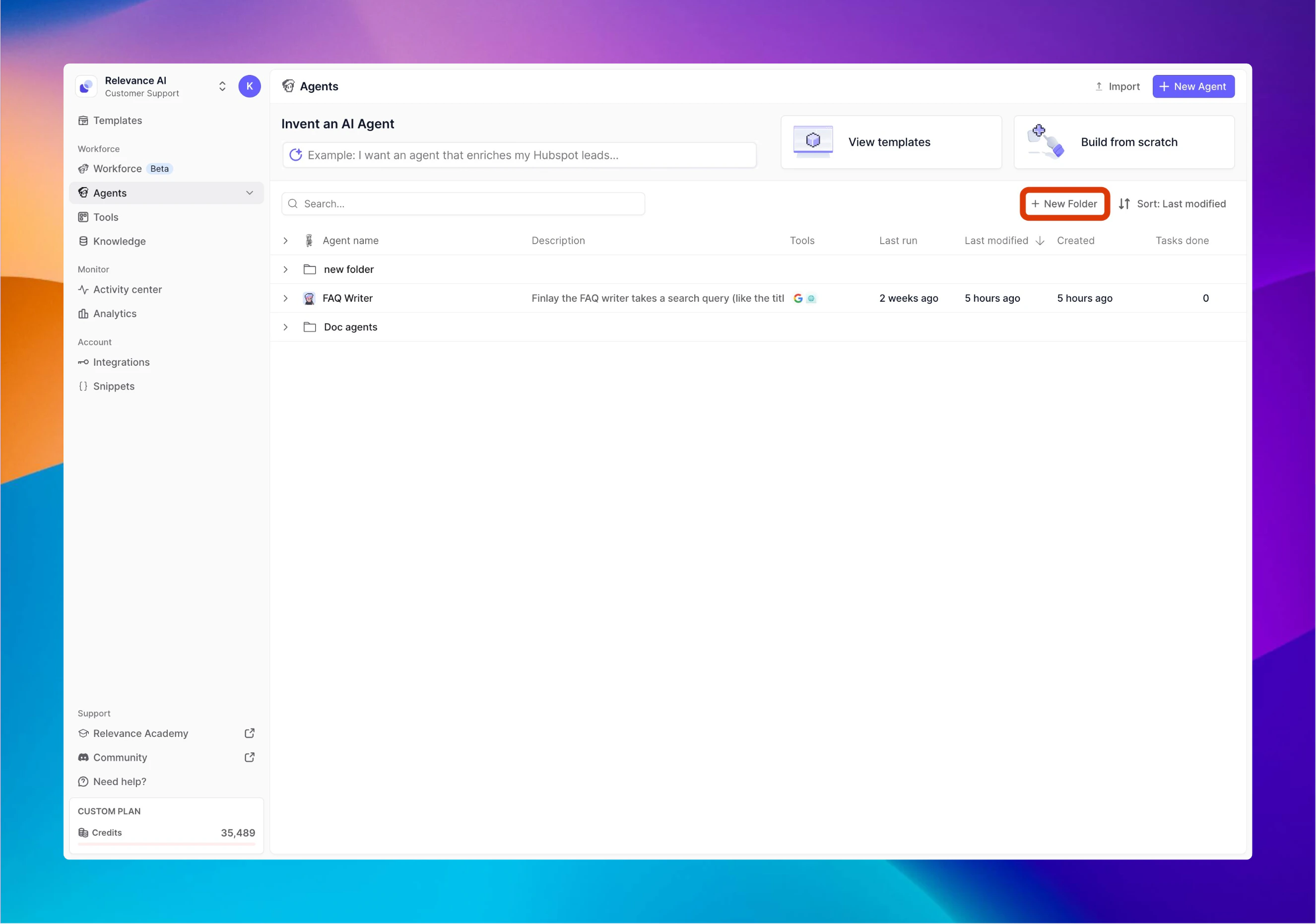
Folders: Organize Your Agents with Ease
What are Folders?
Folders are simple organizational tools that help you group related agents together. Think of them like folders on your computer - they keep everything neat and easy to find as your collection of AI agents grows.Why Use Folders?
- Find agents quickly - No more scrolling through a long list
- Group related agents - Keep your sales agents, customer service agents, or project-specific agents together
- Maintain a clean workspace - A tidy workspace means less confusion and faster work
Creating Your First Folder
- Go to your agents table in the Relevance AI dashboard
- Look for the “Create Folder” option (usually a folder icon with a plus sign)
- Click it and give your folder a descriptive name like “Sales Agents” or “Customer Support”
Moving Agents Between Folders
Moving agents is as simple as drag-and-drop:- Click and hold on any agent
- Drag it over a folder
- Release to drop it in
Managing Your Folders
Renaming a folder:- Find the folder you want to rename
- Click the menu icon (⋮) or right-click on it
- Select “Rename” and type the new name
- Find the folder you want to delete
- Click the menu icon (⋮) or right-click on it
- Select “Delete” and confirm
- Don’t worry - your agents will be safely moved back to the main workspace
Tips for Effective Organization
- Use clear naming conventions - Names like “Sales - Active” and “Sales - Archive” are better than “Folder 1” and “Folder 2”
- Don’t create too many folders - Start simple with 3-5 main categories
- Organize by purpose - Group agents by what they do (sales, support, research) or by project
- Review periodically - Take a few minutes each month to reorganize as your needs change